

Ask a typical employee how secure they are and you get a shrug. Most of them would act on the answer. Nobody has ever given them one. Their multi-factor authentication (MFA) status lives in an identity console, their patch level in a device management tool, their overdue training in a learning management system, and none of those are things they can see or perhaps even understand.
This release closes that distance. Employees get visibility to their own security score, delivered in the browser, and a fix path for every finding in their name. You get control over how that score is calculated and when Amplifier talks to your people.
Show every employee their security score
Click the Amplifier icon and an employee sees a security score from 0 to 100, followed by the four things that move it: MFA strength, incomplete training, device health, and overdue patches. Below that, the devices Amplifier has attributed to them by name and serial number. Below that, their findings, split into what's queued for a nudge and what's still open. Every finding expands into the detail and the fix.
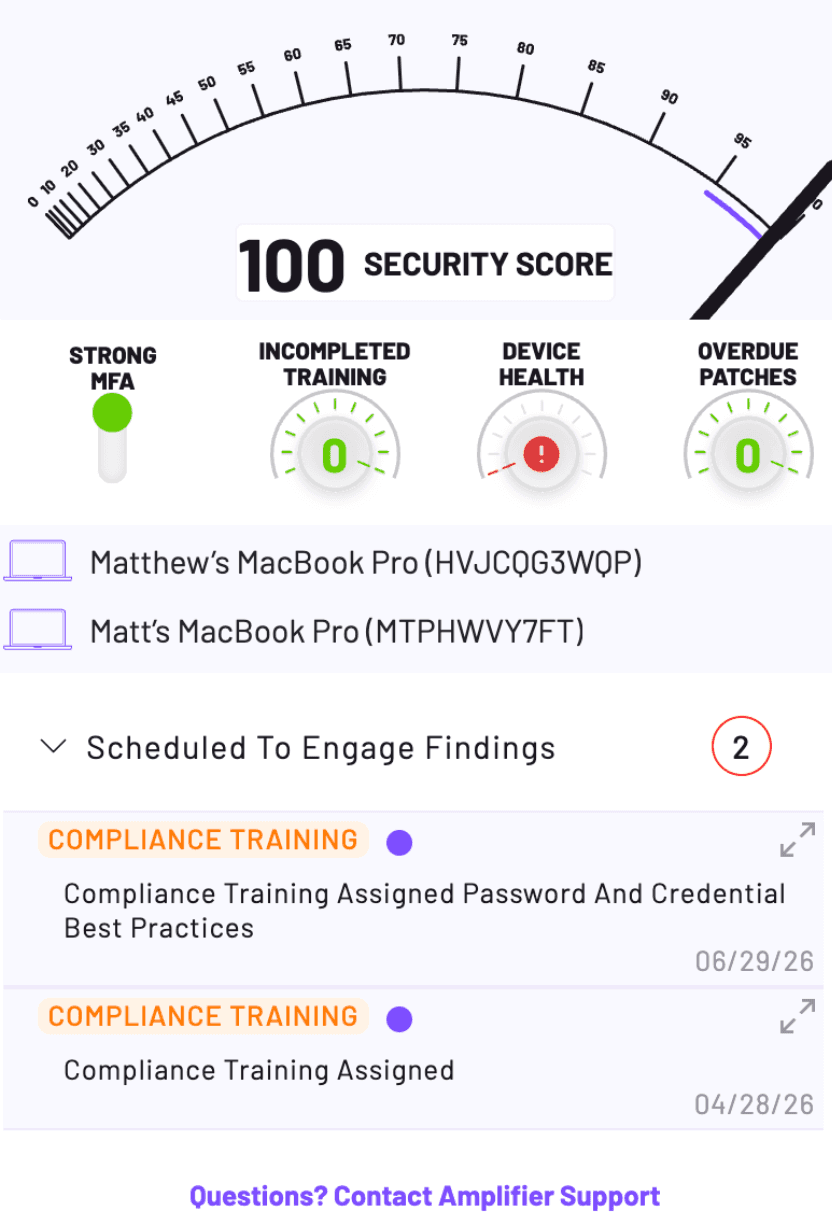
Security posture stops being something employees hear about once a year. It becomes a number they own, one click from where they already work. Most workforce risk data lives in consoles the workforce will never log into, which is much of why human risk metrics miss real risk reduction.
Safe AI coaching, delivered where the decision happens
For customers with Safe AI Usage enabled, the extension now coaches employees while they work. Open a generative AI service and your policy shows up at the point of decision, with no tab switching and no trip to a policy page nobody bookmarks. The inline prompt reminder embeds a nudge in the prompt input field. The best-practices overlay delivers your approved guidance, tailored to the service and policy category.
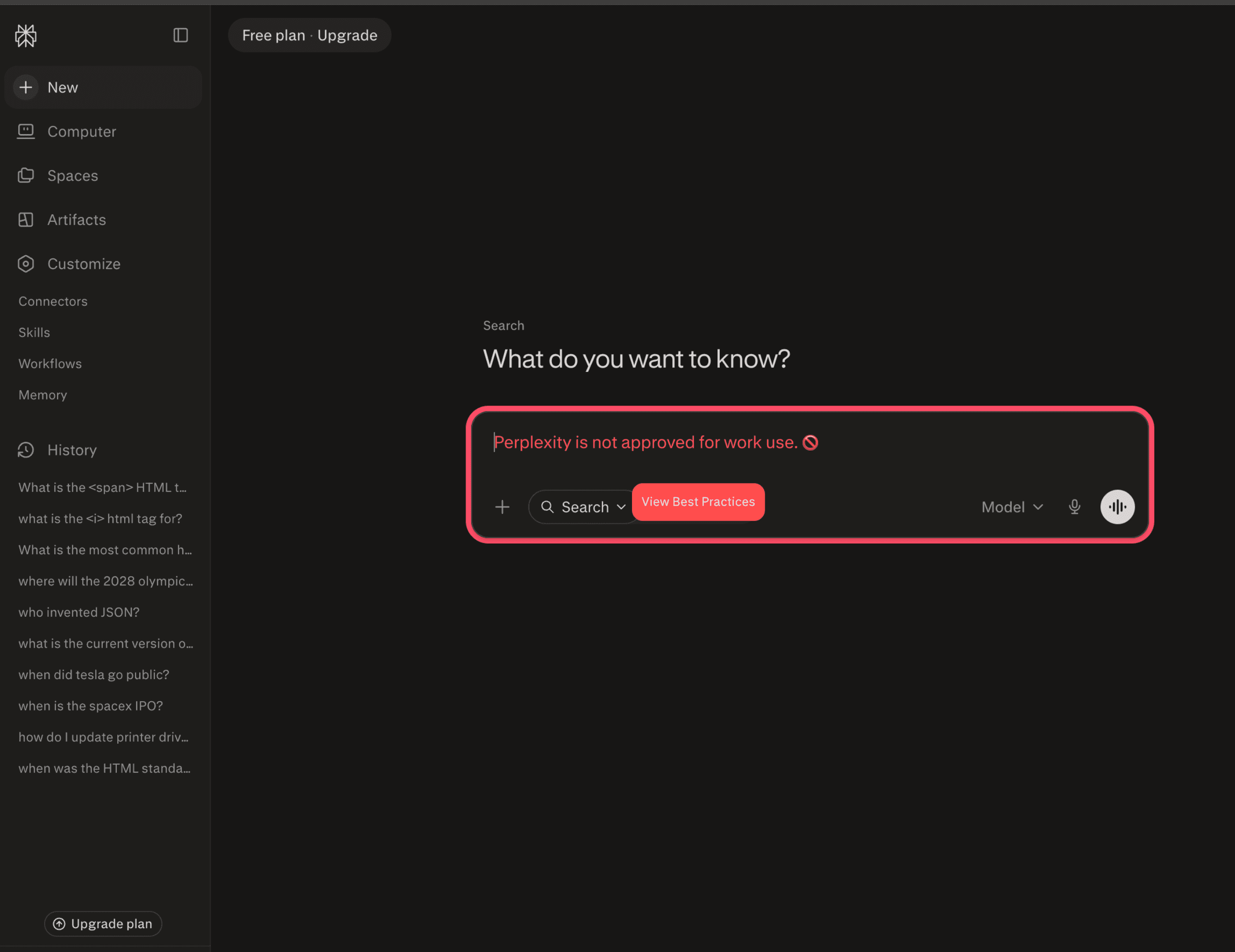
Coaching is one stage of four:
Train sets the baseline with role-relevant video training on safe AI adoption.
Coach delivers in-the-moment guidance through the browser extension.
Harden discovers the AI services in use and classifies each as Approved, Unapproved, or Undefined, then steers people toward approved alternatives.
Shield turns policy breaches into findings once usage crosses your thresholds, then drives corrective action.
Most security leaders have an AI policy. Far fewer can tell you what happens in the seconds between that document and someone pasting a customer list into a chatbot.
Health scoring that reflects your risk model
Organizations weigh risk differently. A missed phishing simulation might be a rounding error at one company and a serious signal at another. Health Score Configuration sets the point deduction for every finding type Amplifier tracks, so the score your dashboards report follows your risk model.
The catalog covers vulnerabilities out of service-level agreement (SLA), MFA not enabled, unapproved applications, macOS upgrades, overdue training, failed phishing simulations, untracked AI services, and device attribution gaps. Set a weight to zero and the finding stops counting without leaving your data. Scores save automatically and update across all dashboards within the hour.
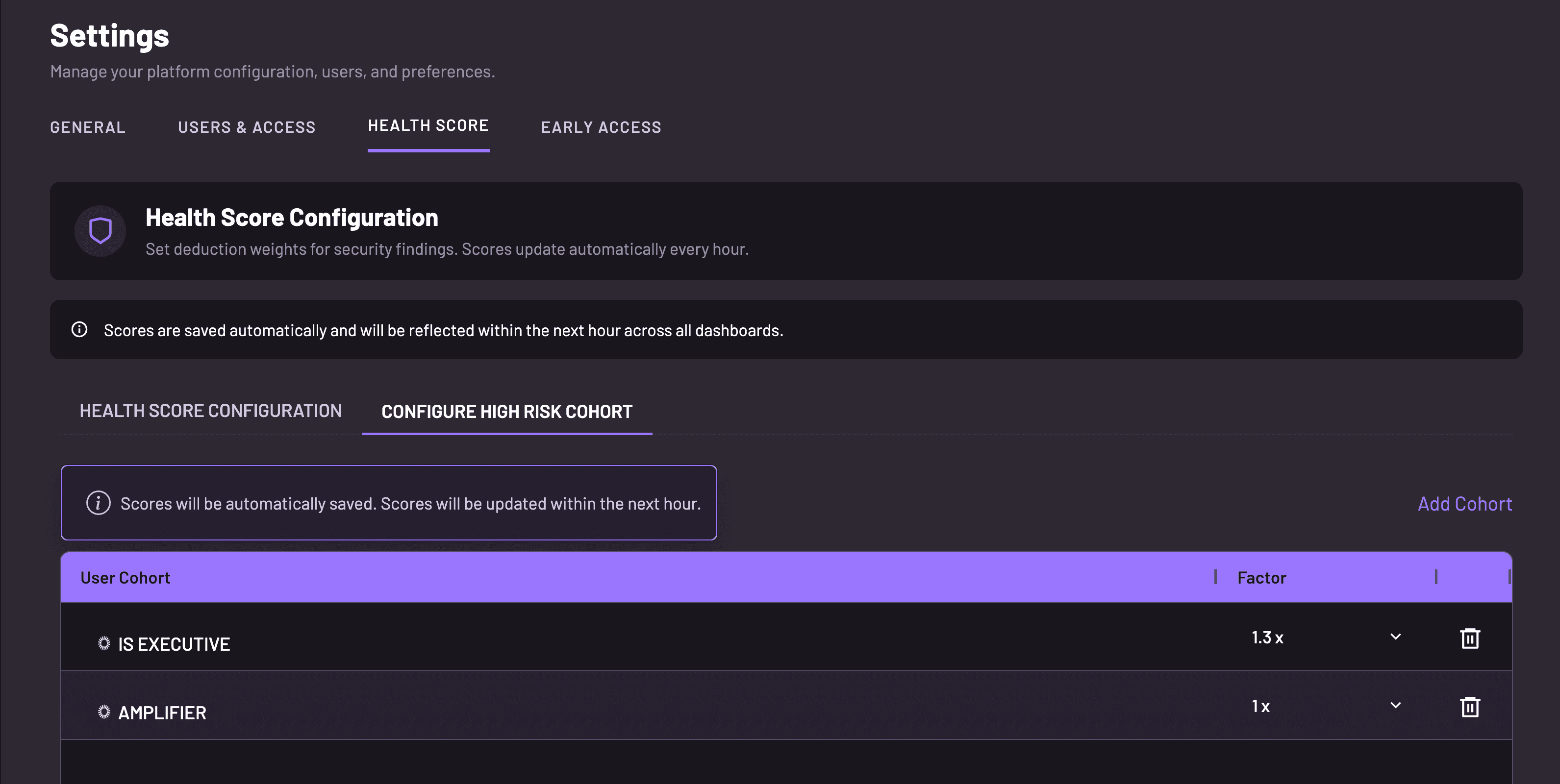
High-risk cohorts are the second layer. Define a cohort, apply a factor, and the same finding carries more weight for executives, finance, or new hires.
You set the rules for when Amplifier talks to your people
A patch reminder at 11 p.m. on a Saturday teaches employees to ignore security requests, and that learned reflex is harder to undo than a missed patch.
Engagement preferences set a welcome delay for new employees, the days and hours Amplifier is allowed to engage, the scheduling time zone, and a reminder window that spreads reminders across a set number of minutes. A global pause switch stops all messaging during an incident or change freeze. These preferences work alongside the availability checking we shipped in June, which defers a message when someone is in a meeting or marked as traveling.
Bring your own training videos
Load your own training content into Amplifier and deliver it through the same risk-triggered engagement flows, with the same reminders and completion tracking as our modules. Keep the library your legal team approved. Amplifier changes how it gets delivered and whether it gets finished.
Frequently Asked Questions
Can employees see their own security score?
Yes. The Amplifier browser extension shows each employee a security score from 0 to 100, the four inputs that move it (MFA strength, training, device health, overdue patches), and the fix for every finding in their name. Admins see the same number in Amplifier Security Hub, labeled the health score.
How do you enforce an AI usage policy inside ChatGPT and other generative AI tools?
Enforcement takes four layers. Amplifier runs compliance training on safe AI adoption, in-browser coaching as an inline prompt reminder and a best-practices overlay, discovery of AI services (classified as Approved, Unapproved, or Undefined), and corrective action when usage crosses your thresholds. Coaching matters most: it lands seconds before someone pastes data into a chatbot. Not after they’ve already made the mistake.
Can you customize how a workforce security risk score is calculated?
Yes, at two levels. Health Score Configuration sets the point deduction for every finding type tracked, including vulnerabilities out of SLA, MFA gaps, unapproved applications, overdue training, and failed phishing simulations. A weight of zero removes a finding while keeping the data. High-risk cohorts apply a multiplier to groups like executives or finance.
How do you prevent notification fatigue from automated security nudges?
Fatigue comes from bad timing more than volume. Amplifier sets a welcome delay, the days and hours it may engage, the scheduling time zone, and a reminder window that spreads reminders out. Availability checking defers messages when someone is in a meeting, and a global pause switch stops everything during an incident.
Latest Blogs
Related Blogs & News



Watch